
A desktop pet for your Mac that actually does work
2 October 2026 · updated 7 October 2026 · desktop pet · macos · ai agent
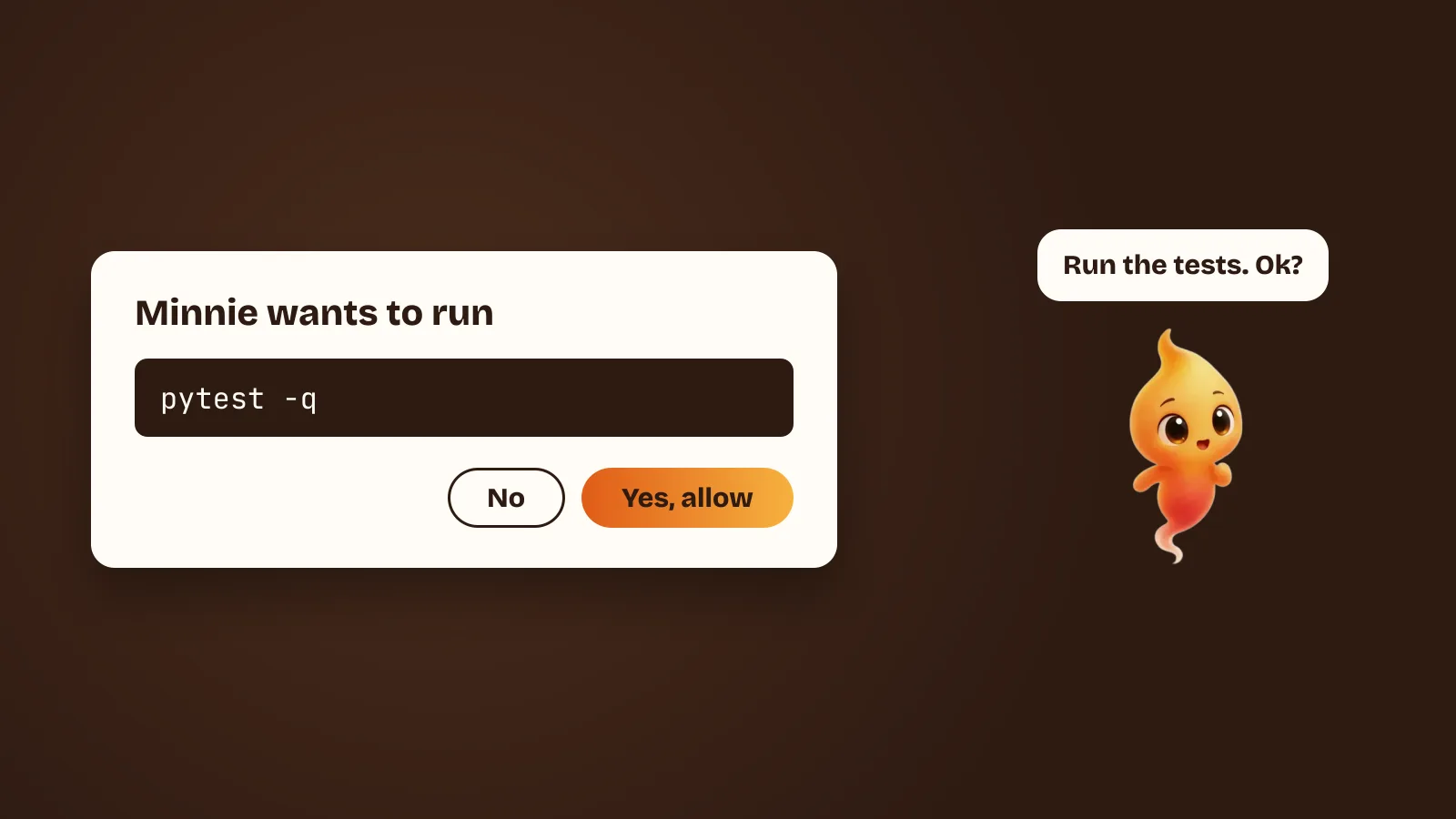
If you used a computer in the late nineties, you probably remember desktop pets: a sheep that wandered along the bottom of your screen, a cat that chased the cursor. They were charming, and they did nothing. Close one and your day was exactly the same.
Minnie looks like one of those. She is a small character who floats above your windows on macOS. The difference is that she is attached to something real: the AI coding agent you already run in your terminal.
Why give an agent a body at all?
Coding agents like Claude Code, Gemini CLI and Codex are very capable, and they all live in a terminal. That is the right home for them. It is also a window you stop looking at the moment you switch to your browser, your editor or a meeting.
So the agent gets stuck waiting for an answer you never saw. Or it finishes, and you find out ten minutes later. Or it is halfway through something you would have stopped if you had been watching.
A character on your desktop fixes the “is it doing anything?” problem without another notification badge. You can tell at a glance whether she is:
- Idle, sitting in the corner and watching your cursor
- Listening, because you said her name
- Working, while the agent reads files and runs commands
- Asking, because the agent wants to do something that needs your yes
Body language turns out to be a very fast status indicator. You don’t read it, you just notice it.
Why not just use notifications?
This is the obvious objection, and it is worth answering properly, because notifications are the thing everyone reaches for first and they do not work here.
A notification is an event. It fires once, slides in, and leaves. It is good at “this happened” and bad at “this is still true”. An agent’s state is a condition that persists — it has been working for four minutes, it has been waiting for your answer for eleven — and a thing that fires once cannot represent a thing that continues.
Worse, an agent generates far too many events. Notify on every tool call and you have built a machine for training people to dismiss notifications without reading them, which is a bad outcome for every other notification on the machine too. (If you do want notifications, set them up so they fire only on the two events that matter. Claude Code notifications on Mac shows how.)
The alternative everyone reaches for second is a menu bar indicator. Better — it is persistent, it is always visible — but it has about four pixels of bandwidth. It can tell you busy or not busy. It cannot easily tell you busy versus waiting for you, and that distinction is the entire point.
What you want is something persistent, ambient, and high-bandwidth enough to carry a distinction. A character has posture, motion, direction and position. It can sit still, it can get up, it can come over to you. That is a lot of signal for something you are not looking at directly.
The quiet failure this is really about
Here is the specific thing that led to building her.
Claude Code asks before it edits a file or runs a command. That prompt is the best safety feature these tools have. It is also, the moment you alt-tab, a question sitting in a window you cannot see — and the agent is doing nothing, waiting, while you are in your browser assuming it is working.
Everyone who uses these tools hits this. The usual response is to turn the prompts off, which trades a small annoyance for an unbounded risk. The better response is to put the question somewhere you will see it. So when the agent needs a yes, Minnie comes over and asks out loud, and you answer by speaking.
The configuration side of this — building an allowlist so the prompts you do get are the ones that matter — is in Claude Code permission prompts, without the babysitting.
What she actually does
You talk to her, by voice or by typing, the way you would prompt the agent directly: “run the tests and fix whatever breaks”, “what changed since yesterday?”, “commit this”. Minnie passes the request to the agent CLI on your Mac, and the agent does the work in your project the way it always has.
Before anything she can’t take back, such as editing a file, running a command or pushing a branch, she stops and asks out loud. You can allow it once, allow it for the session, or say no. Saying no is a normal answer, not an error. She steps back and nothing is left half-done.
We wrote more about how the voice side works in Talk to Claude Code with your voice on a Mac.
Meet Minnie
Minnie is a little spark: a warm, flame-shaped character with big eyes and a wisp of a tail. Each of her moods means something, so you can read her from across the screen:
- Sitting, calm and idle, waiting for you to need her
- Happy, when a run goes green
- Thinking, while the agent reasons, so you can tell working from stuck
- On the move, floating over when she needs a yes
- Sleeping, tucked away while you focus
Give her a name and a temperament. None of it changes what the agent can do. It changes what it feels like to work next to.
The obvious worry: is it distracting?
Fair, and we worried about it more than anything else.
The design rule we settled on is that movement has to mean something. A character that fidgets for personality is a character you learn to tune out, and once you have tuned her out she can no longer tell you anything. So she is still when the agent is still. She moves when the state changes. She comes to you only when she needs something.
Which gives the useful property: the moment she moves across your screen, you already know it is worth looking at — because she doesn’t do that for fun.
Practically: she can be hidden whenever you want, she dozes off while you focus, and she respects the system Reduce Motion setting, in which case the animation stops and the states are shown without it.
Will it eat my battery?
The reasonable question to ask of anything that is always on screen on a laptop.
The short answer is that her animations are small pre-rendered loops, not a running physics simulation, and they pause when she is off screen or not visible. The work your machine is actually doing while an agent runs is the agent — reading files, running your test suite, compiling — and that dwarfs the cost of a character in the corner.
What it costs
The app is free, permanently: the pet, her voice, the wake word and real tasks on your Mac. There is no second AI bill, because Minnie doesn’t ship or resell a model. She drives the agent you already have, and that agent keeps its own login.
Later, extra characters with their own look, moves and voice will be optional one-time purchases. Everything that exists today stays free. The reasoning behind that model is in Why Minnie is free.
What you need
- An Apple Silicon Mac on macOS 14 or newer
- An agent CLI installed and logged in once (Claude Code gives the full experience today)
macOS will warn you on first open, because she isn’t signed yet — here is what that warning means.
If you are shopping around: Desktop pets for Mac: Shimeji, Bongo Cat and co covers the rest of the genre, and Claude Code has no GUI. Here is what people use covers the other tools that put an interface on a coding agent, including several that are a better fit than this one for certain problems.